
How Do You Register a Smart eSIM?
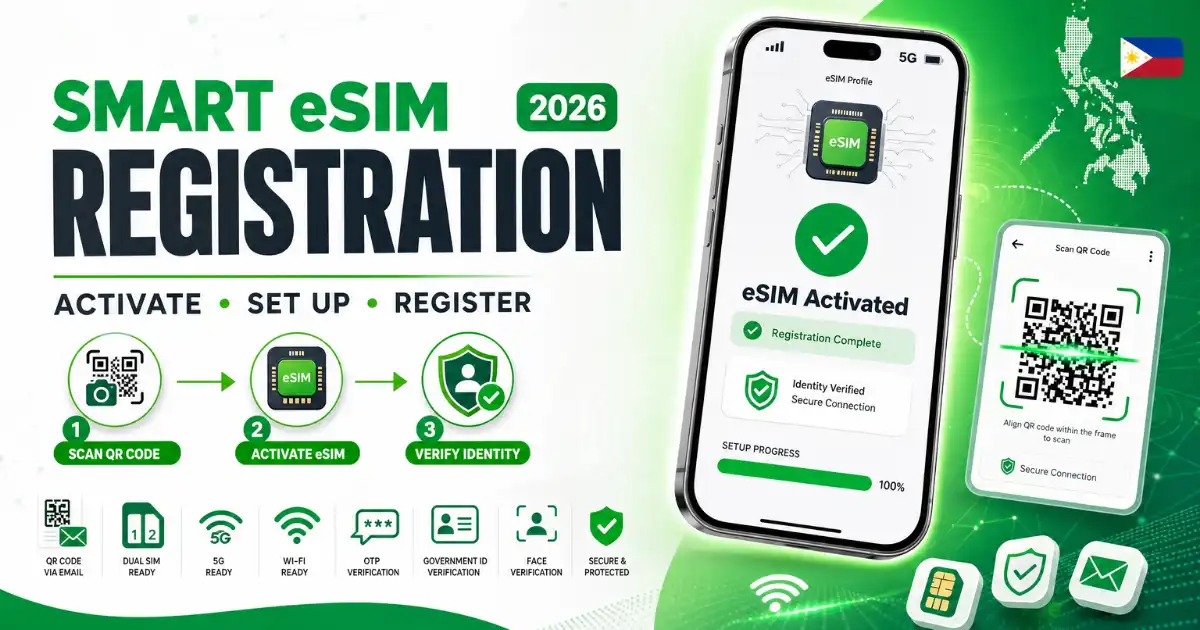
Each year, an increasing number of Smart subscribers opt for a digital Smart eSIM instead of a traditional plastic card. This digital eSIM downloads in minutes, supports postpaid plans, and is convenient for those who frequently switch phones. The main challenge in the process is registration, often due to small mistakes that are simple to prevent once you are aware of them.
What is Smart eSIM?
A Smart eSIM is a Smart SIM profile that lives on your devices built-in chip instead of a removable card. You download the Smart eSIM profile by scanning a QR code sent by Smart Communications. It supports both postpaid plans works with dual Smart SIM setups and can be managed through the Smart App, where you can check your balance, load and registration status. Recent iPhone, Samsung Galaxy and Google Pixel models support the Smart eSIM along with several other current flagship Android devices.
Who needs to register?
This applies to:
- Customers buying a prepaid Smart eSIM for the first time.
- Existing Smart subscribers converting a Smart SIM into a Smart eSIM.
- Customers porting their number from Globe. Dito into Smart.
- Foreign visitors purchasing a Smart eSIM for the duration of their trip.
This requirement comes from the SIM Registration Act, which mandates that every mobile Smart line in the Philippines, physical or digital be linked to a verified identity before it can send texts make calls or use data.
How to buy Smart eSIM
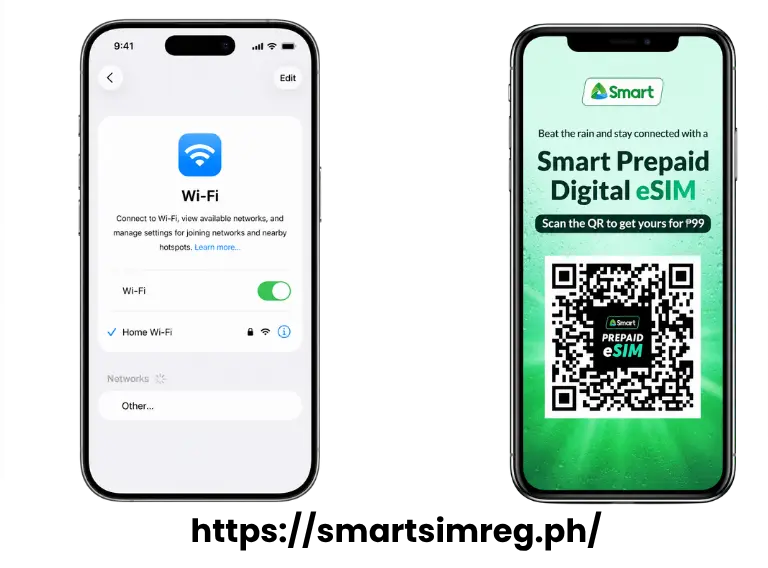
There are three ways to get a Smart eSIM profile depending on your situation. New customers can purchase a Smart eSIM through the Smart Online Store, official Lazada or Shopee listings or at Smart kiosks in major international airports. It costs around ₱99. The QR code arrives by email almost instantly.
Existing Smart users with a Smart SIM can convert to a Smart eSIM at any Smart Store. Bring your Smart SIM, a valid ID and an active email address and pay a small conversion fee. This has to be done in person because Smart verifies your identity during the swap. Customers switching networks from Globe or DITO can request a Unique Subscriber Code from their provider and bring it to a Smart Store to port their number over for free.
Step-by-step registration
Once you have your Smart profile registration itself takes only a few minutes.
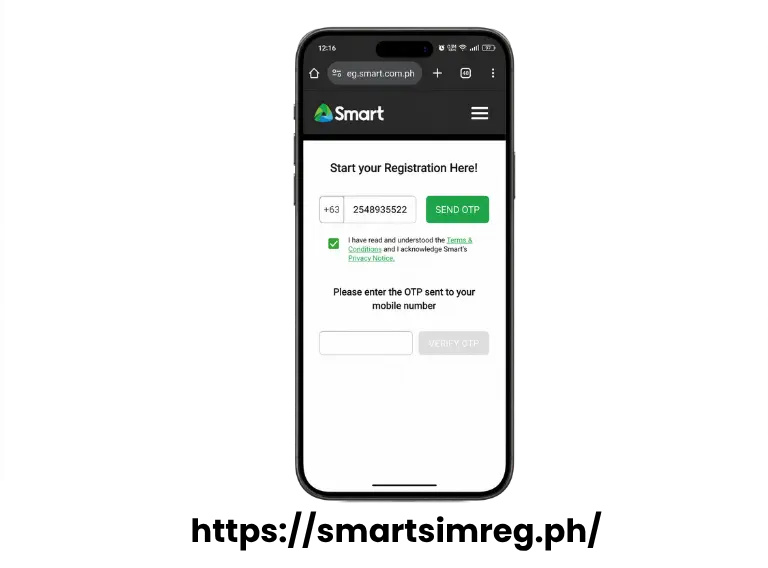
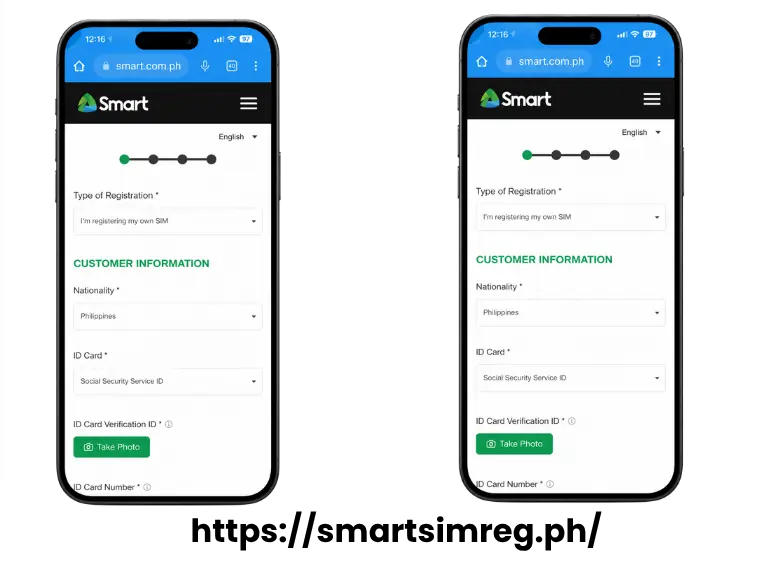
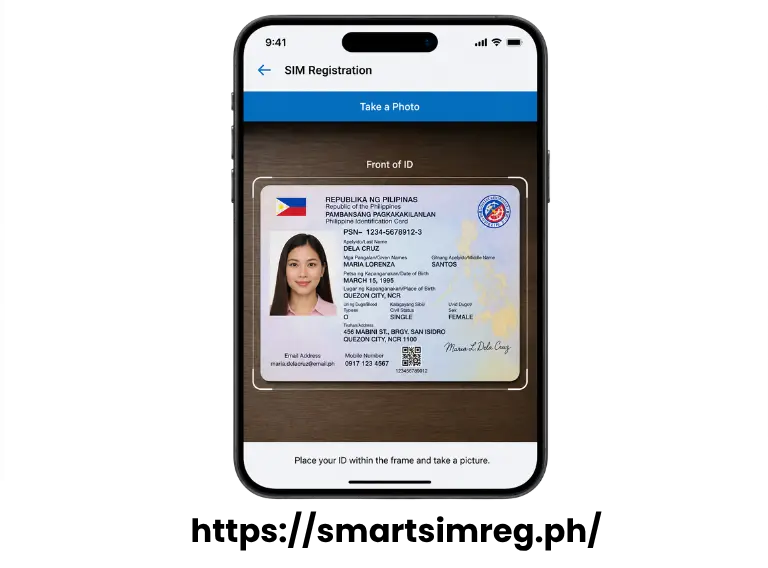
Documents required
Citizens: any valid government photo ID, such as a Philippine passport drivers license, UMID, SSS ID, voters ID, postal ID, national ID or senior citizen card.
Foreign tourists: a passport, proof of local accommodation such as a hotel booking or Airbnb confirmation and a return or onward flight ticket.
Common Error Encountered
Here’s what typically causes each one and how to fix it.
OTP not arriving
If there are repeated requests in short span causes temporary delay. Move back to reception and restart OTP fatch after sometimes. There may be a signal error rather than system failure.
QR already used
Each QR code is special and redeemed once only. If you deleted the Smart eSIM profile after installing it or tried to scan the code on a second phone it will not work again. In that case you’ll need to request a Smart eSIM profile from Smart rather than reusing the old code.
ID rejected
This type of error comes due to several reasons, blurry photo, glare covering your name or photo a document or a file that exceeds the upload size limit. Use lighting hold the camera steady and make sure your selfie clearly matches the photo on your ID.
How long approval takes
Most registrations are approved within minutes after all successful verifications automatically. If the system flags a mismatch or unclear document for review approval can take longer, typically up to 24 hours. You’ll receive a confirmation message once its done. “Your Smart line is fully activated”.