
How to Register Smart SIM Using the GigaLife App
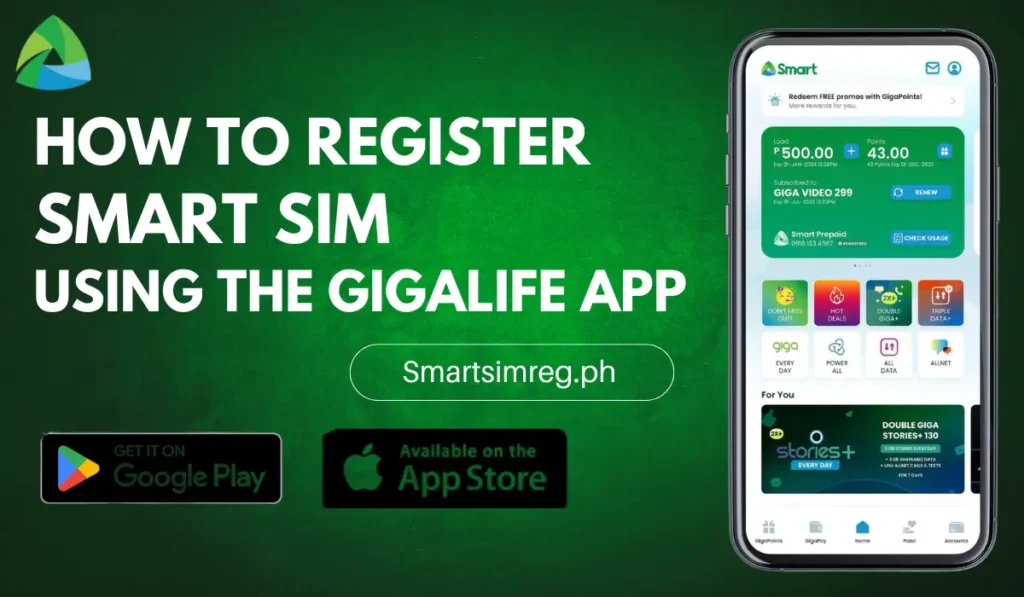
The SIM registration is a legal requirement by the Philippine Government under the SIM Registration Act. Millions of users are completing the Smart sim registration process through the Gigalife App to avoid the deactivation of Sim cards. This Registration Act is implemented to ensure digital security for citizens and help to avoid digital spam and identity theft. With the App, you can register a Smart SIM in simple steps. There is no need to wait in long queues or provide documents for verification.
Features of GigaLife App
Now you can register your SIM by providing details and uploading valid documents or IDs through the GigaLife App on your Smartphone. Alongside the registration process, you can also enjoy the other features, including discounts and other bundles.
Manage GigaLife Account
The app’s account management feature allows you to control the details of your Smart number. You can manage validity dates, plan balances, and usage efficiently. All of these features are provided in the account management menu option.
Subscribe to Offers & Bundles
The app gives offers for a limited time. You can buy multiple bundles and activate promos and deals with a single purchase of a subscription offer. Personalized deals are also provided based on your usage style.
Track Usage in Real Time
Tracking your data, call bundles, and promos gives information about all active offers. You can track insights about data consumption patterns. It also sends alerts about offers expiring soon to make timely updates for subscription packages.
Secure & Easy to Use
The app’s responsive performance quickly allows access to all features with a clear layout. The app works smoothly with the secured account verification by using facial and finger recognition. It also helps to make the account more secure and provides faster feature management.
Step-by-Step Guide: Registering via GigaLife App
The registration of a Smart sim through the GigaLife App is a quick process. Follow these steps and complete the process within a few minutes.
Download & Install the GigaLife App
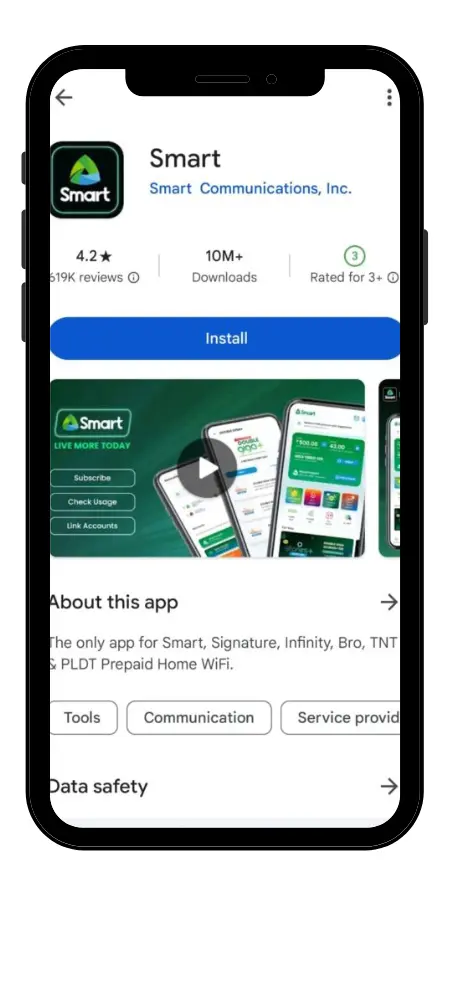
Download the GigaLife App using the download button given below. We are providing it through an official third-party app source. You can also download the app from the Google Play Store and the iOS App Store. After installation, follow the account creation steps.
Log In or Create an Account
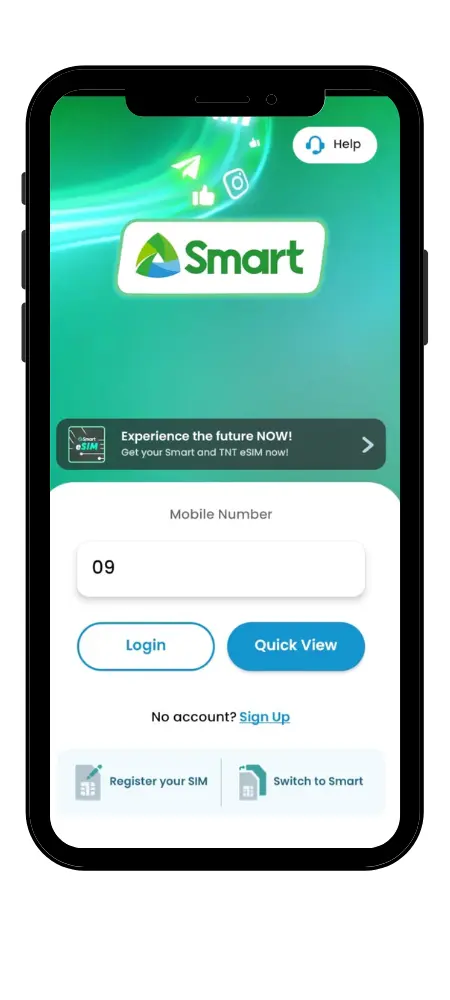
Create an account in the GigaLife App Smart Sim Register using your Smart Mobile Number. Tap on Create an Account and enter the digits of your Smart Sim Number. Now, you will receive an OTP on the given number, and enter that one-time verification code to proceed. The existing users can log in through their Smart numbers.
Navigate to SIM Registration
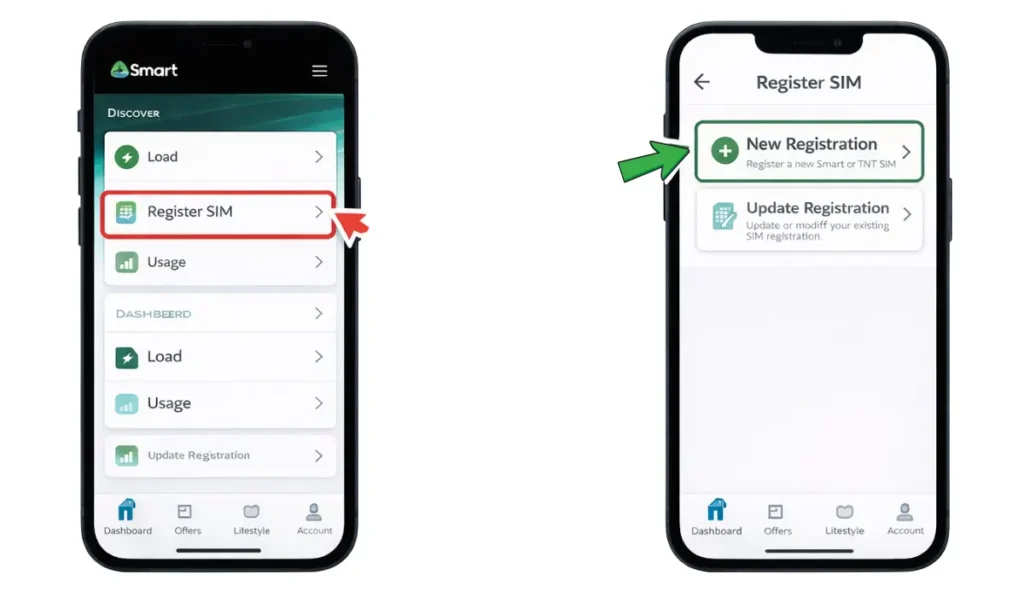
After creating your account, open the Register Sim option in the registration section. Go for the New registration option, and it will open to provide all your details. Additionally, the ‘Update Registration’ option is also provided for the existing users to get updated in registration.
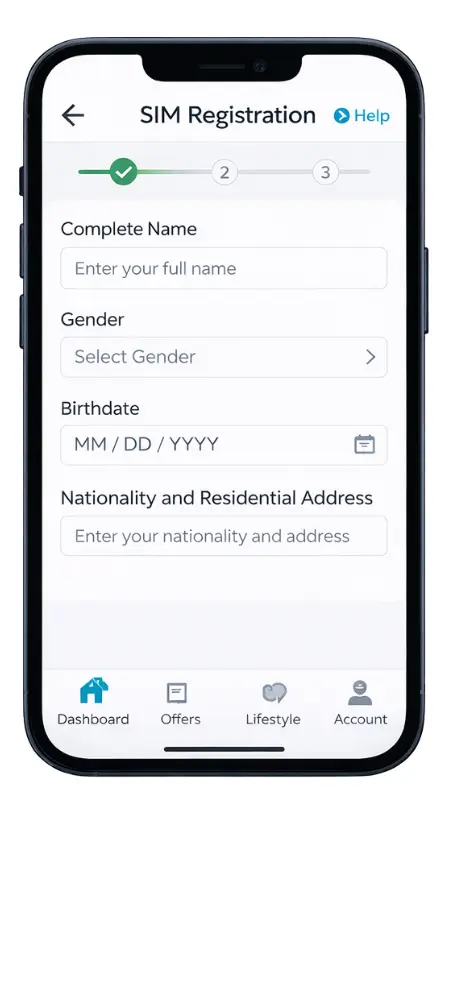
Fill Out the Registration Form
You have to provide all personal details in the registration form, including:
- Complete Name
- Gender
- Birthdate
- Nationality and Residential address
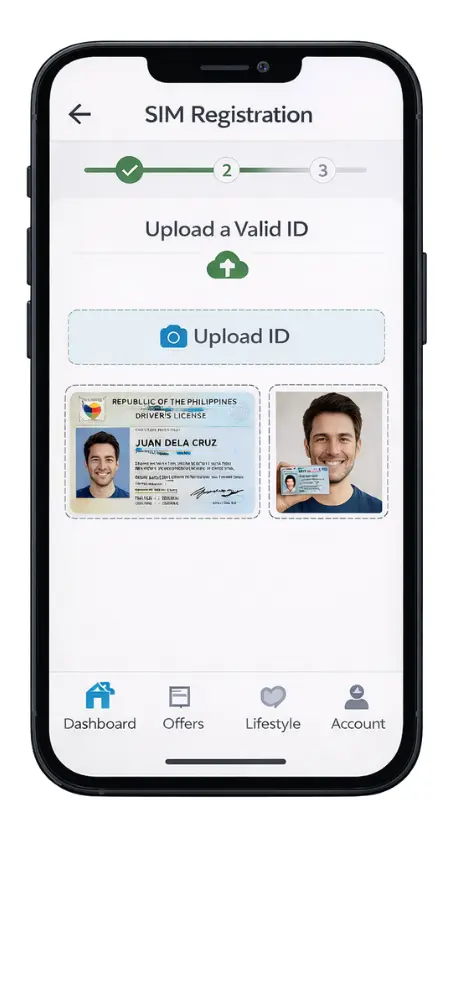
Upload a Valid Government ID
Further, upload a clear image of a valid ID for verification. It is essential to provide all personal details that completely match your valid ID. In some cases, a selfie is also required for identity verification.
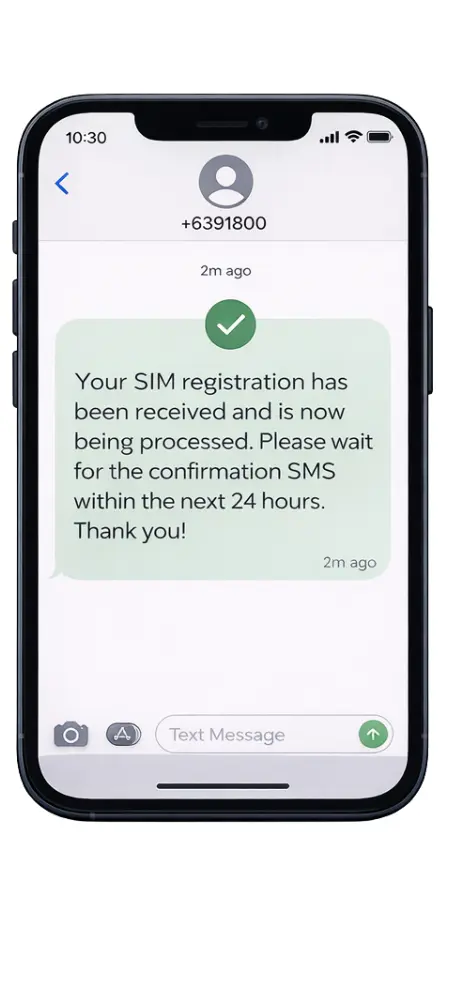
Submit & Wait for Confirmation
Before submitting the application, review the details and uploaded ID, and then tap on the submit option. After submission, a confirmation SMS will be sent to confirm your registration completion. However, the processing time takes up to 24 hours for the confirmation.
Troubleshooting Common Issues
The GigaLife App Smart Sim Register is developed using high technology with smooth software to ensure an easy flow of the registration process. However, users can encounter issues during the registration process. Here is a detailed guide to solving these problems:
ID Rejected
When users face a rejection of an uploaded ID, it is mostly due to the user’s error. Make sure you have uploaded a clear image of your ID with all readable details. Make sure ID is government-issued, as an expiration date can also cause the reason for ID rejection.
Registration Failed
On facing the registration failed error, make sure you are providing accurate personal details. After double-checking all details, resubmit the application after a few minutes. You can also contact Smart hotline number 888 to quickly solve your registration issue.
App Not Working
The app crash is mostly due to the unstable internet or using the old version of the app. Thus, use the latest version of the app and process registration on a stable internet connection. You can also clear the cache, restart your mobile device, and install the latest version for proper loading of the app.
Selfie Not Accepted
You can avoid this error by using a clear background and proper lighting. Additionally, remove any face coverings, glasses, and hats to ensure clear images. Make sure to avoid any facial expressions and position yourself in the center of the frame for a better chance of selfie approval.
Also Read > Smart SIM Registration Errors & How to Fix Them
Alternative Methods for SIM Registration
The GigaLife App Smart SIM register is the best source to register the SIM. However, a few alternative methods for Sim Registration are given below:
In-Store Registration
The SIM registration via store visit requires an active Sim card and a copy of a valid government-issued ID for the registration process. A store representative provides full assistance for the complete process. It is helpful for those who prefer in-store visits for the sim activation.
Online via Smart Website
The official Smart registration portal is designed for the direct SIM registration process. Visit the website, complete the registration process by using your mobile number, and submit all of your details and the application. This method is convenient for Smart users.
USSD Code Registration
For this method of registration, dial the USSD Code *808# from the number you want to register. It will ask for basic details, and your SIM will be registered shortly. However, this method has limited features compared to the Gigalife app and other online methods.
Safety Tips When Registering Your Smart SIM
Users share their personal details during the Smart SIM registration GigaLife. They can secure personal data with the following safety tips:
Conclusion
In conclusion, Smart SIM registration GigaLife has made all steps easier, from providing your basic details to ID verification and uploads. The convenient registration of the app also offers beneficial promo codes and subscription plans to enjoy unlimited data and call bundles. Now, without any additional documentation, you can comply with the Registration Act through this Smart Registration process.